EP Mail Desk

EP Mail Desk: every team email in one shared inbox

EP Mail Desk brings your shared email IDs — reservations, sales, support, accounts — into one inbox. Every conversation becomes a ticket with a number, an owner and a status, so no customer email is missed or answered twice.

Connect Gmail, Google Workspace or Microsoft 365 in one click, or any mailbox by IMAP / SMTP. Each person sees only the email IDs they are allowed to use.

20+ featuresWeb & mobileSupport: 74378-55555

Book a free demo of EP Mail Desk

Tell us about your business. We will show you the software live.

Prefer to talk? Call +91 74378-55555 or WhatsApp us.

Web · Android · iOS

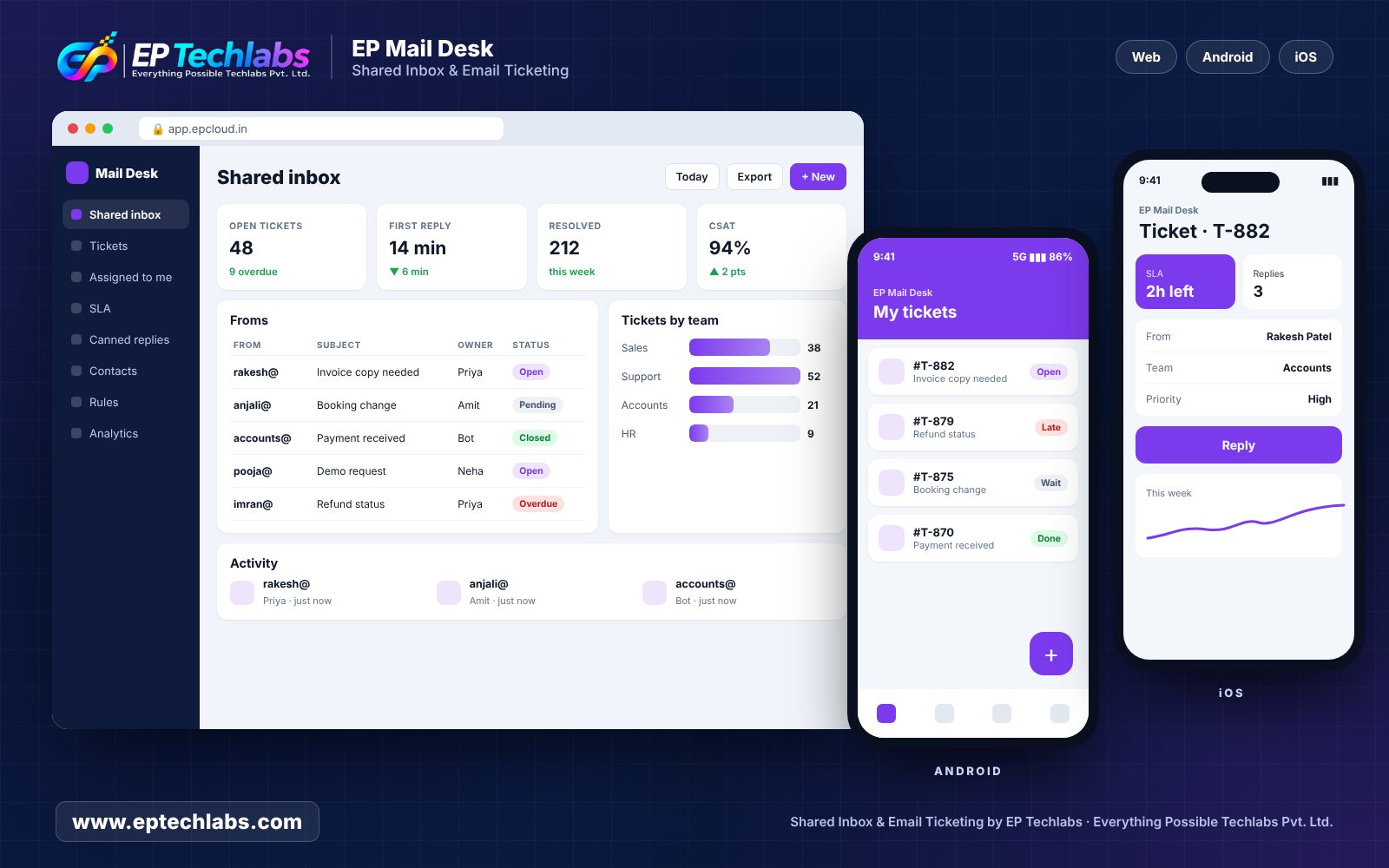
EP Mail Desk on every screen

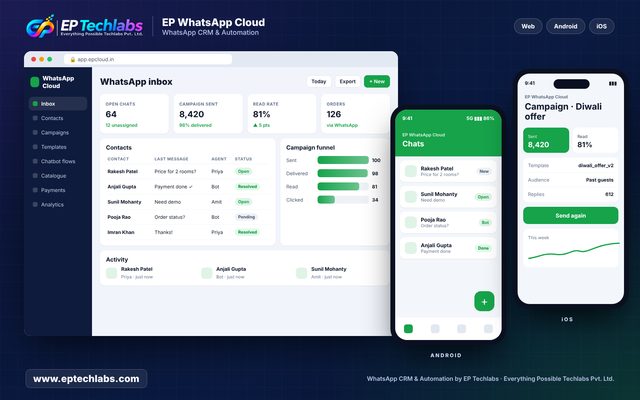
Demo of EP Mail Desk with sample data — the web dashboard, the Android app and the iOS app.

EP Mail Desk demo — web dashboard, Android and iOS app | www.eptechlabs.com
What's included

What you get with EP Mail Desk

Includes
  • Shared inbox
  • Email tickets
  • Automation
  • Reports
Apps & portals
  • Mobile app
  • Web app
Every feature, on real screens

Everything in EP Mail Desk

20 features in 6 modules, each shown on the real EP Mail Desk screen — on a computer and on a phone. Screens use sample data. Tap any screen to enlarge.

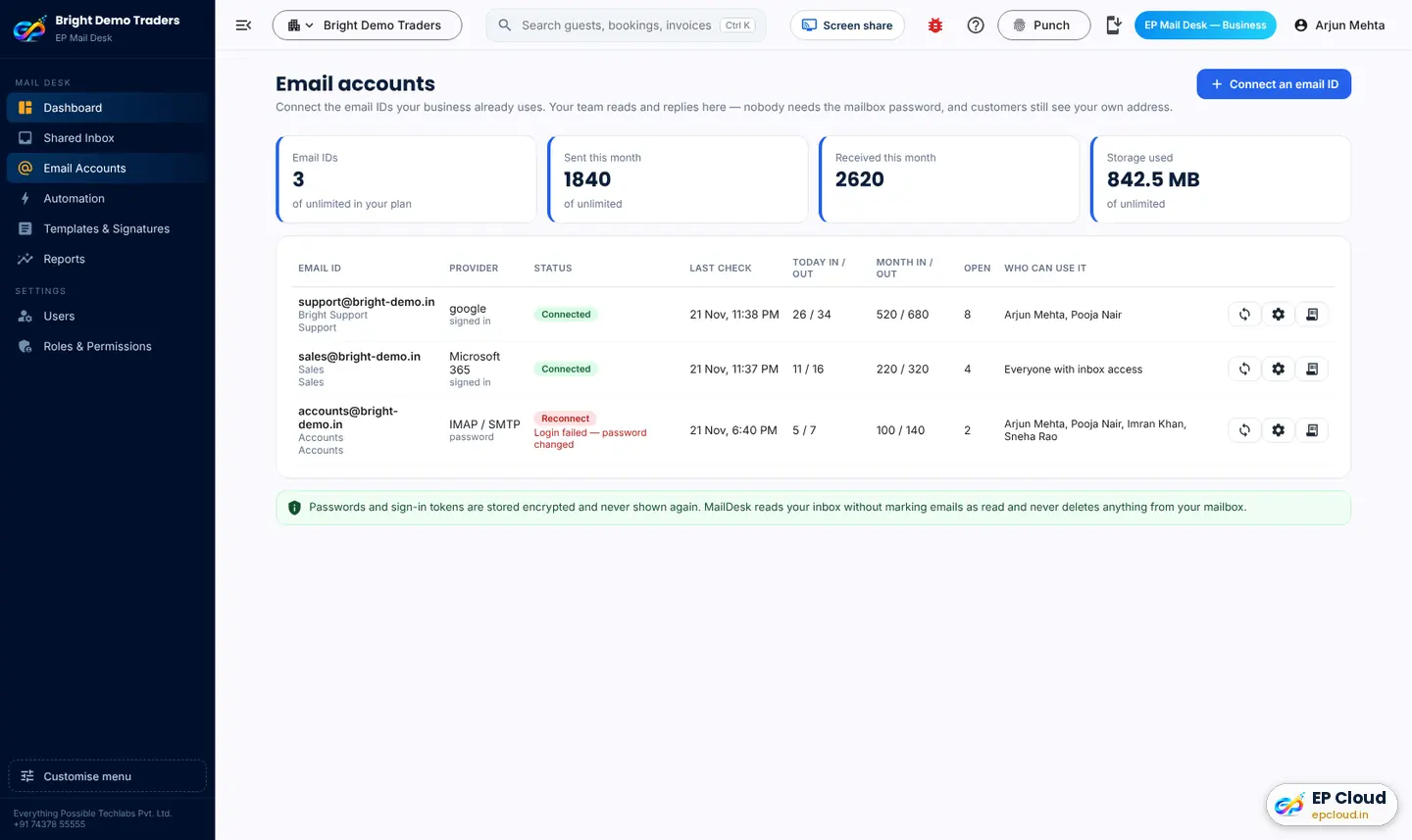
Email accounts

4 features
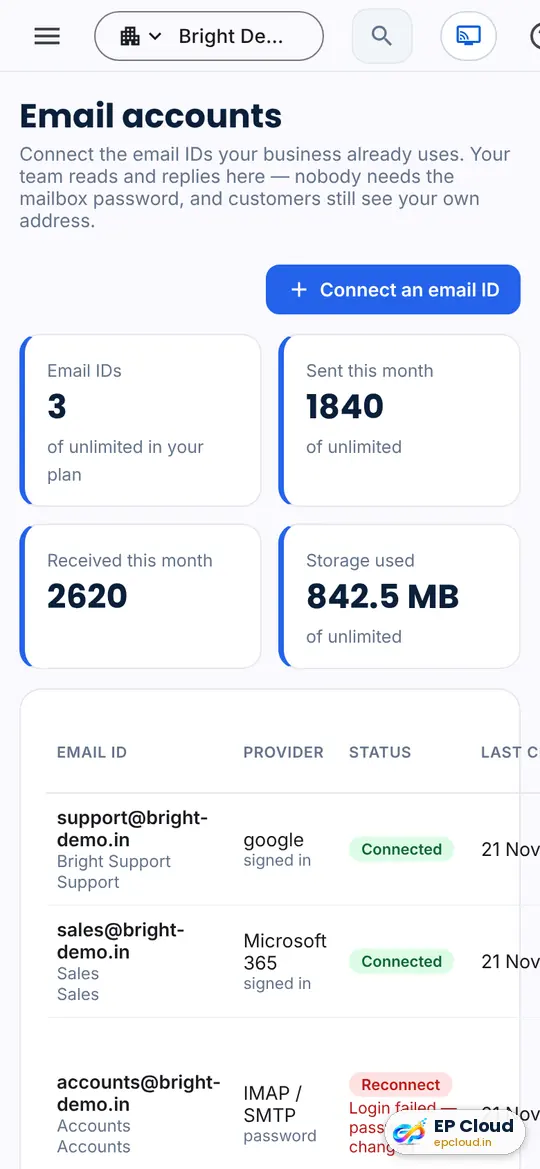
EP Mail Desk — One-click Google and Microsoft sign-in (computer screen) - Everything Possible Techlabs Private LimitedEP Mail Desk — One-click Google and Microsoft sign-in (phone screen) - Everything Possible Techlabs Private Limited

One-click Google and Microsoft sign-in

Connect Gmail or Microsoft 365 with one click — no password stored.

EP Mail Desk — Any other mailbox by IMAP / SMTP (computer screen) - Everything Possible Techlabs Private LimitedEP Mail Desk — Any other mailbox by IMAP / SMTP (phone screen) - Everything Possible Techlabs Private Limited

Any other mailbox by IMAP / SMTP

Connect any other email by IMAP and SMTP.

EP Mail Desk — Choose who may use each email ID (computer screen) - Everything Possible Techlabs Private LimitedEP Mail Desk — Choose who may use each email ID (phone screen) - Everything Possible Techlabs Private Limited

Choose who may use each email ID

Pick which team members can see and reply from each email ID.
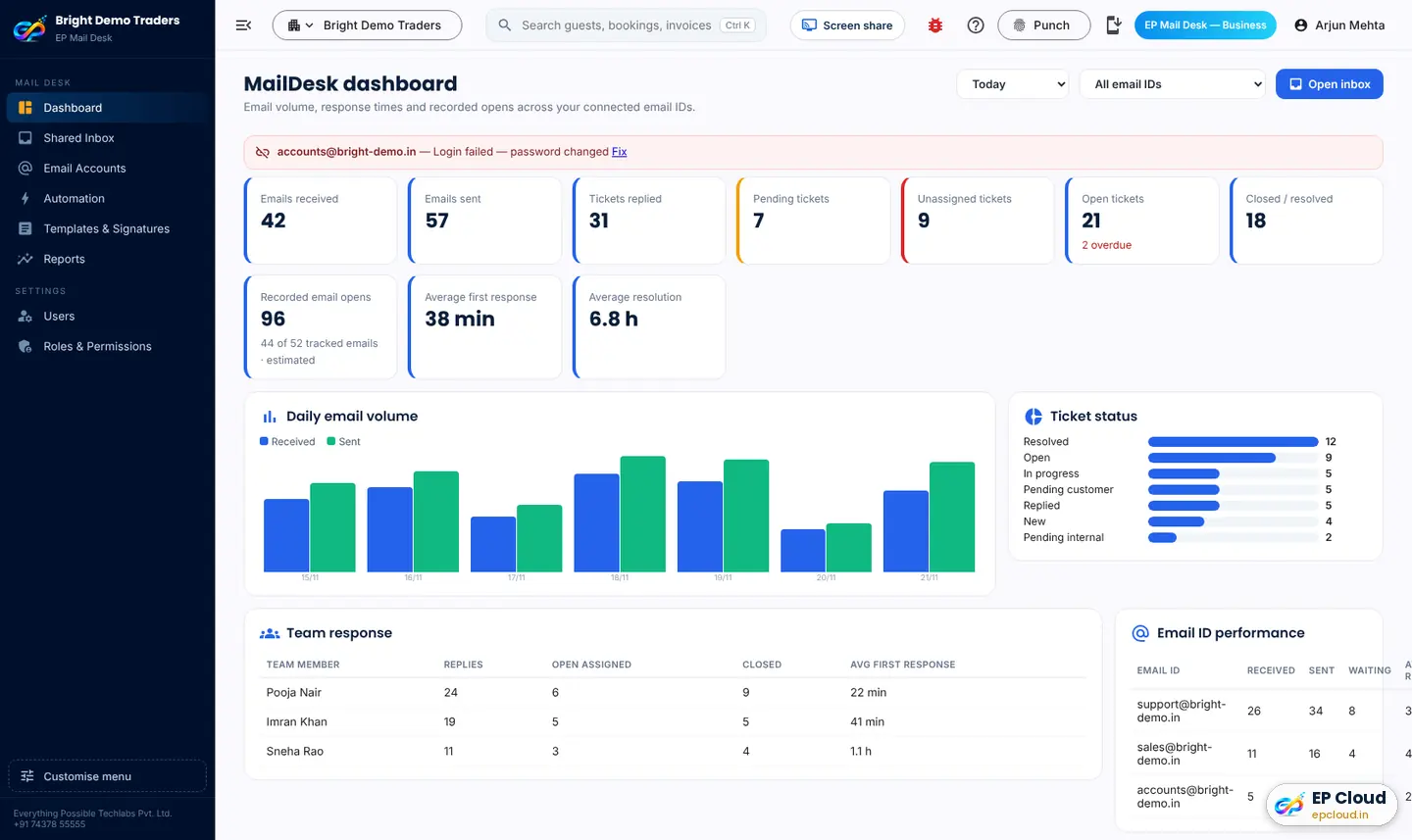
EP Mail Desk — Mailbox health and sync log (computer screen) - Everything Possible Techlabs Private LimitedEP Mail Desk — Mailbox health and sync log (phone screen) - Everything Possible Techlabs Private Limited

Mailbox health and sync log

See if each email ID is connected and when it last synced.
Shared inbox & tickets

3 features
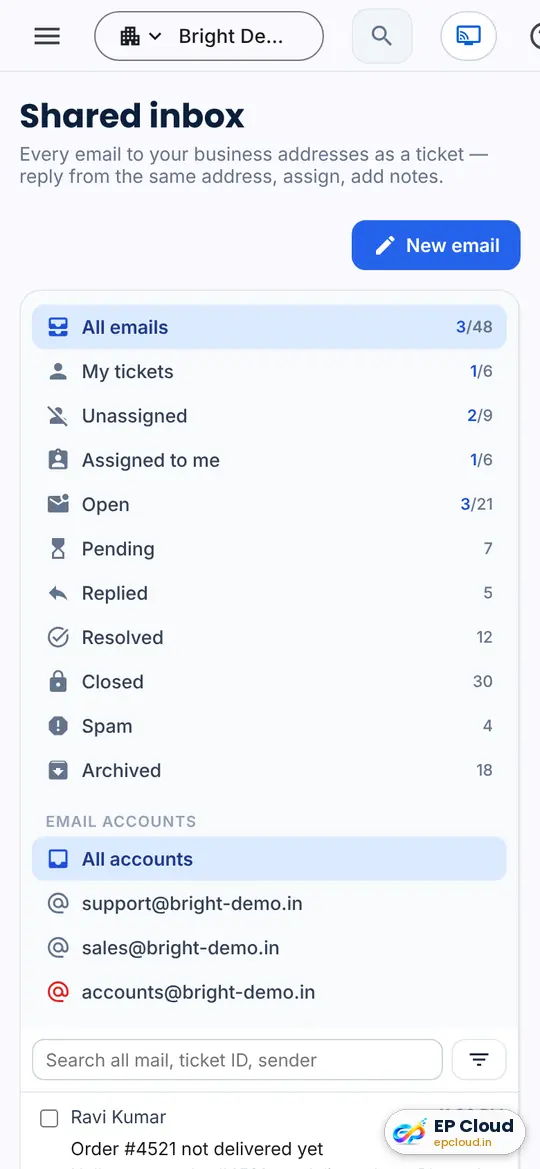
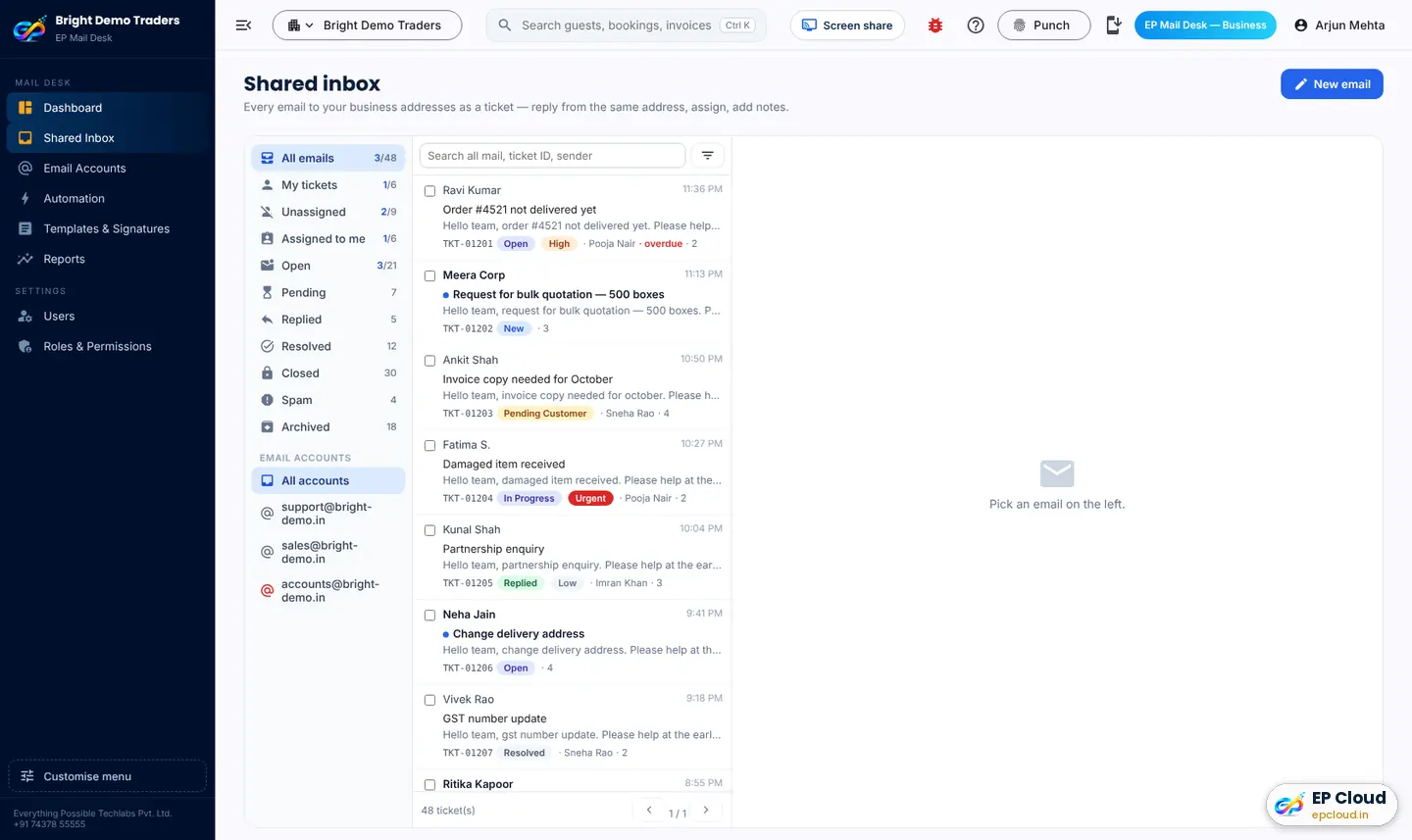
EP Mail Desk — Every conversation becomes a numbered ticket (computer screen) - Everything Possible Techlabs Private LimitedEP Mail Desk — Every conversation becomes a numbered ticket (phone screen) - Everything Possible Techlabs Private Limited

Every conversation becomes a numbered ticket

Every email thread gets a ticket number, status and priority.
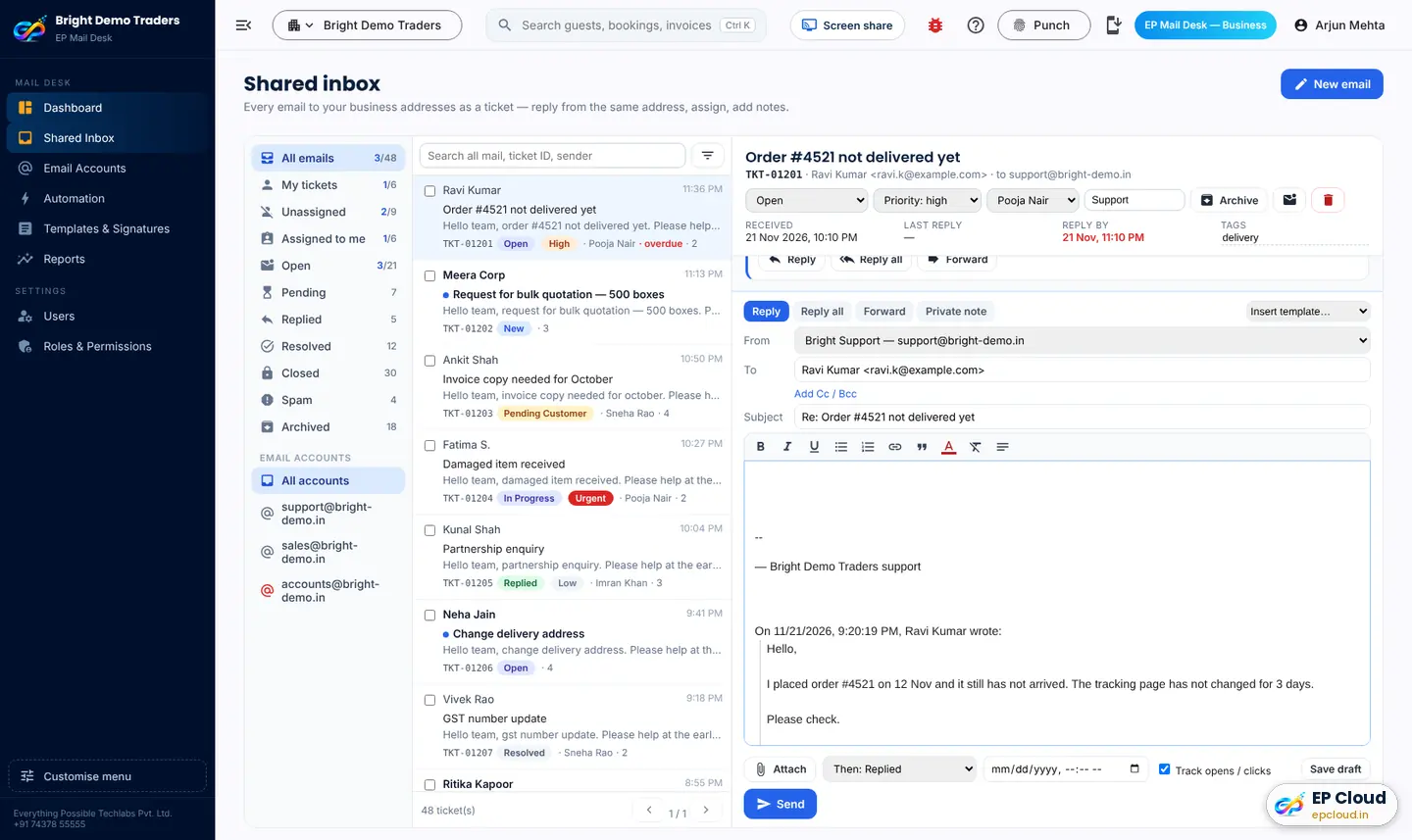
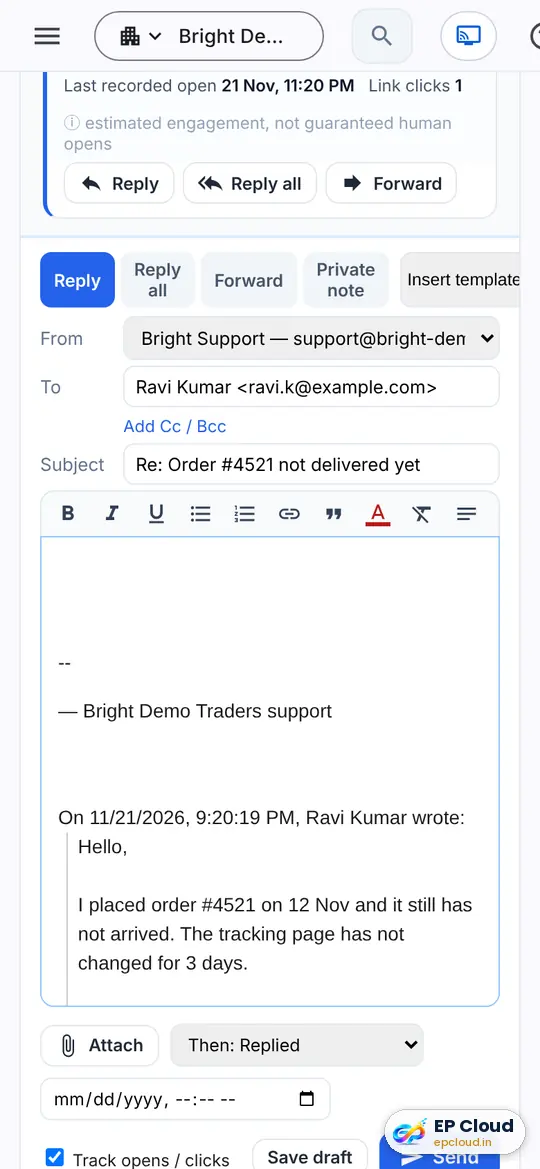
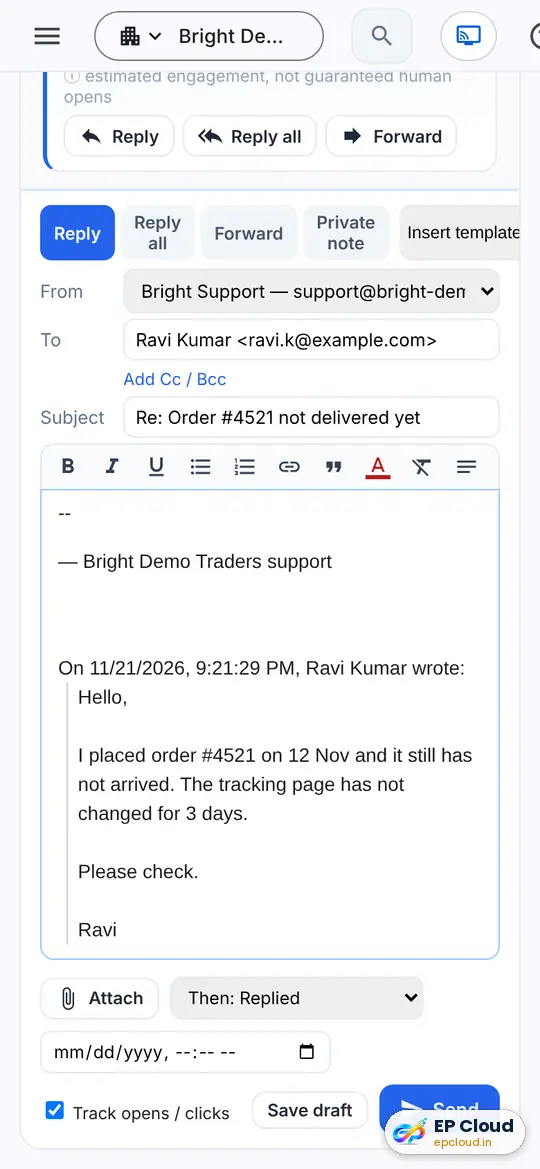
EP Mail Desk — Assign, reply, close and reopen (computer screen) - Everything Possible Techlabs Private LimitedEP Mail Desk — Assign, reply, close and reopen (phone screen) - Everything Possible Techlabs Private Limited

Assign, reply, close and reopen

Assign, reply from the same address and close the ticket.
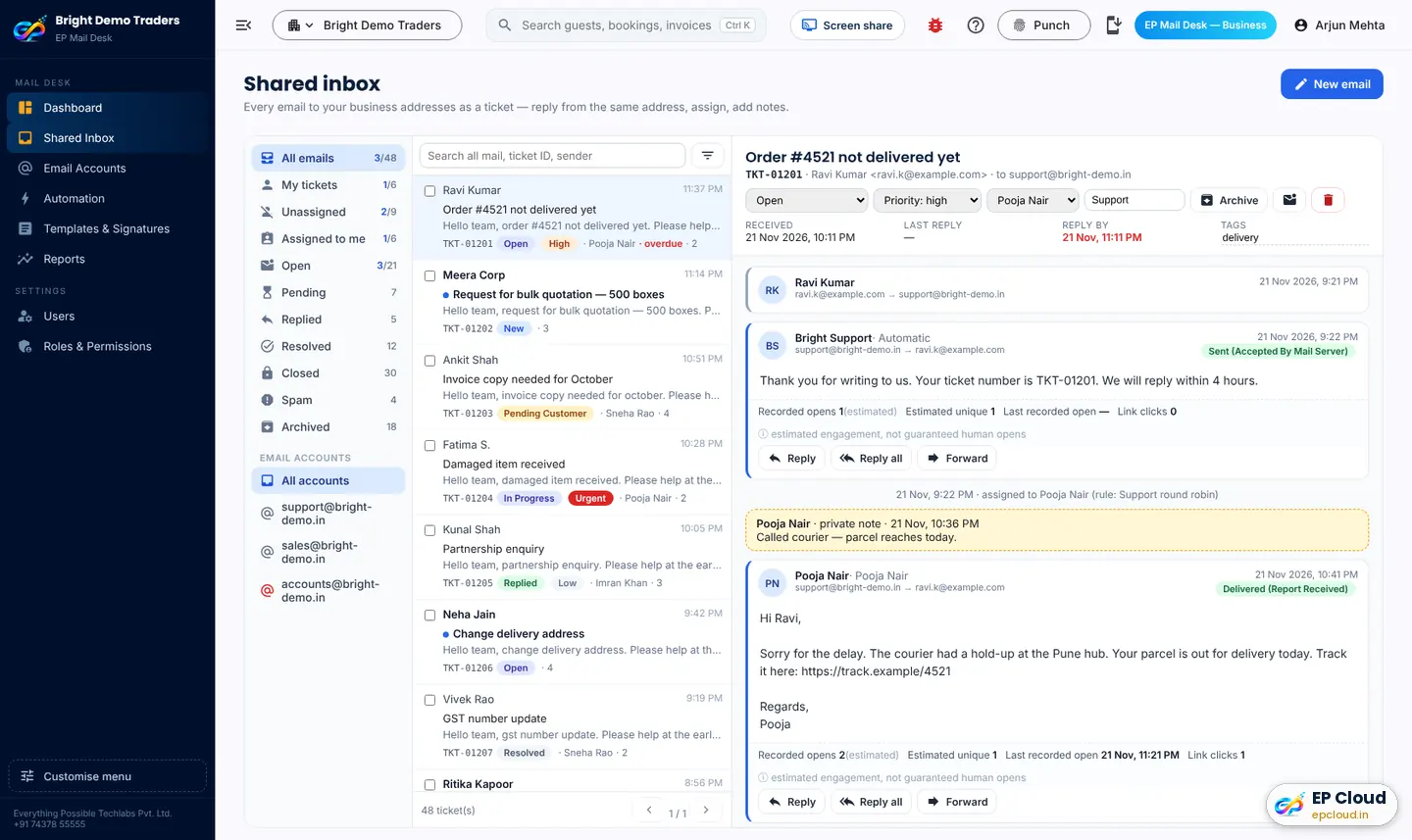
EP Mail Desk — Internal notes and full history (computer screen) - Everything Possible Techlabs Private LimitedEP Mail Desk — Internal notes and full history (phone screen) - Everything Possible Techlabs Private Limited

Internal notes and full history

Private notes and the full history, with recorded opens.

Automation

4 features
EP Mail Desk — Auto-acknowledgement emails (computer screen) - Everything Possible Techlabs Private LimitedEP Mail Desk — Auto-acknowledgement emails (phone screen) - Everything Possible Techlabs Private Limited

Auto-acknowledgement emails

Customers get an automatic reply with their ticket number.
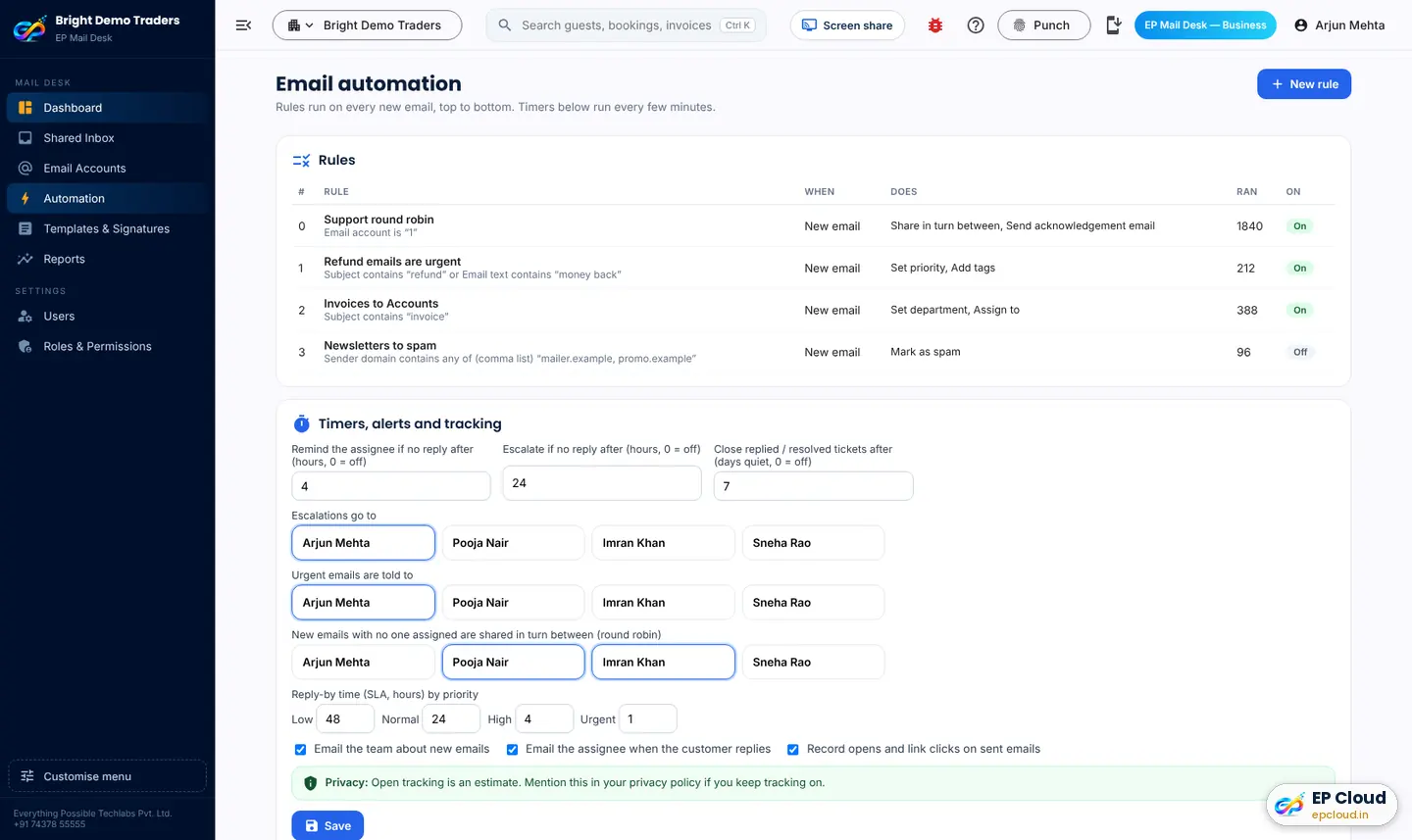
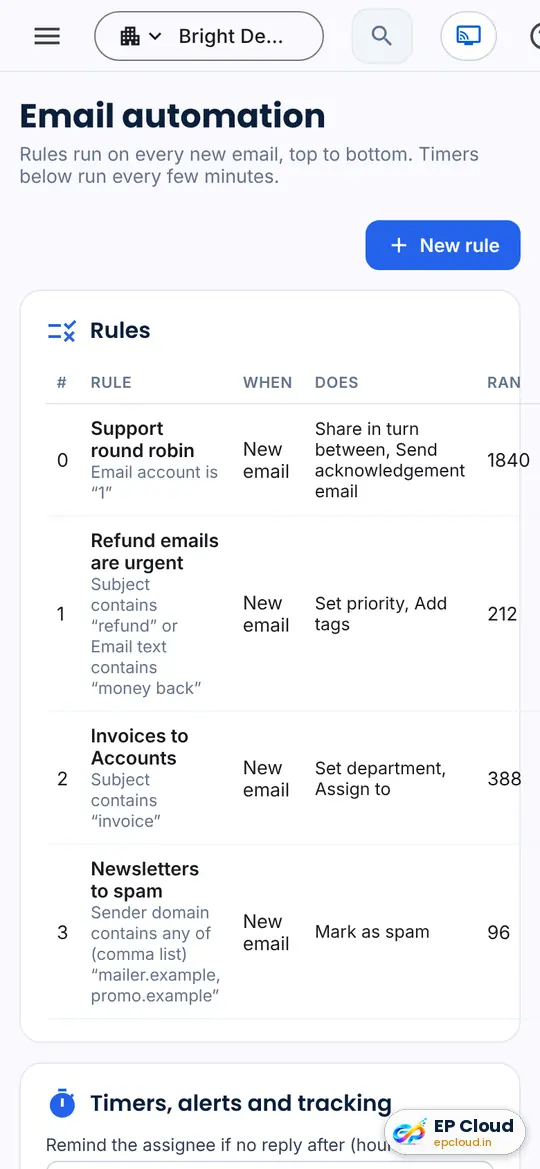
EP Mail Desk — Rules to assign, tag, set priority and share in turn (computer screen) - Everything Possible Techlabs Private LimitedEP Mail Desk — Rules to assign, tag, set priority and share in turn (phone screen) - Everything Possible Techlabs Private Limited

Rules to assign, tag, set priority and share in turn

Rules that assign, tag, set priority or share tickets in turn.

EP Mail Desk — Reminders, escalation and auto-close (computer screen) - Everything Possible Techlabs Private LimitedEP Mail Desk — Reminders, escalation and auto-close (phone screen) - Everything Possible Techlabs Private Limited

Reminders, escalation and auto-close

Reminders, escalation to managers, reply-by times and auto-close.

EP Mail Desk — Scheduled sending and retries (computer screen) - Everything Possible Techlabs Private LimitedEP Mail Desk — Scheduled sending and retries (phone screen) - Everything Possible Techlabs Private Limited

Scheduled sending and retries

Schedule a reply for later; failed sends are retried.
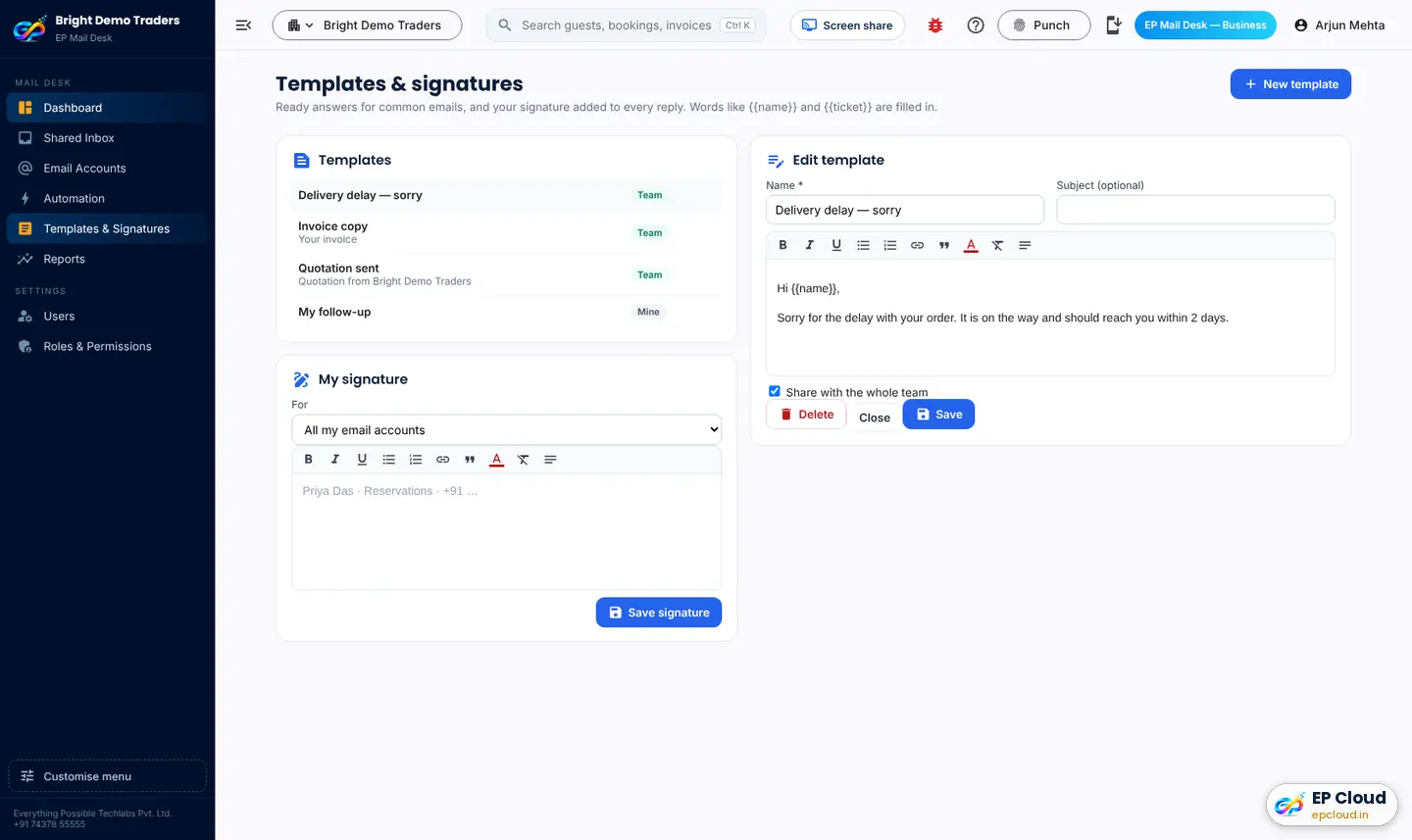
Templates & signatures

2 features
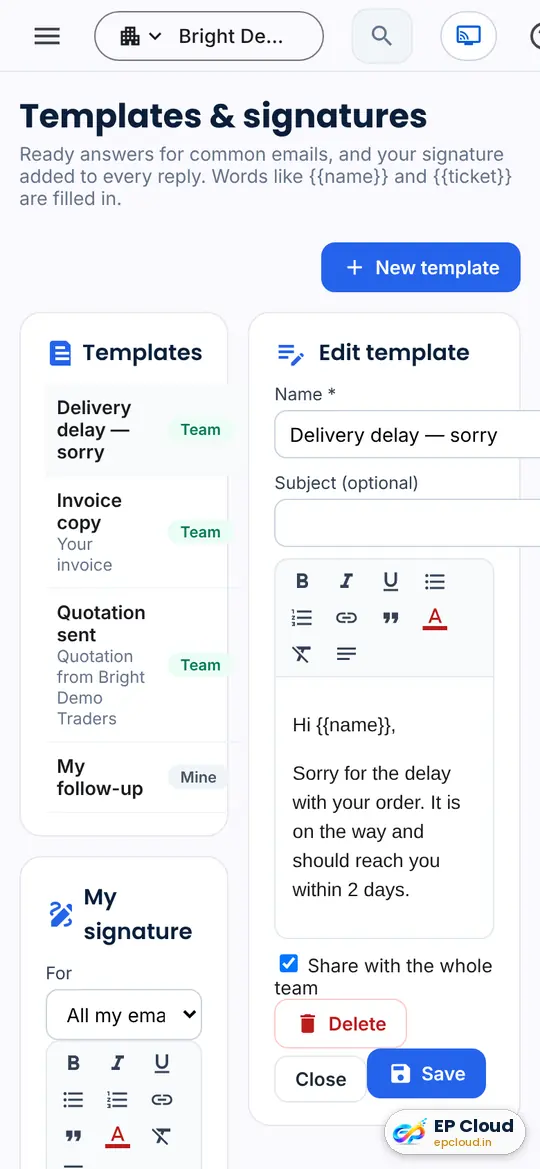
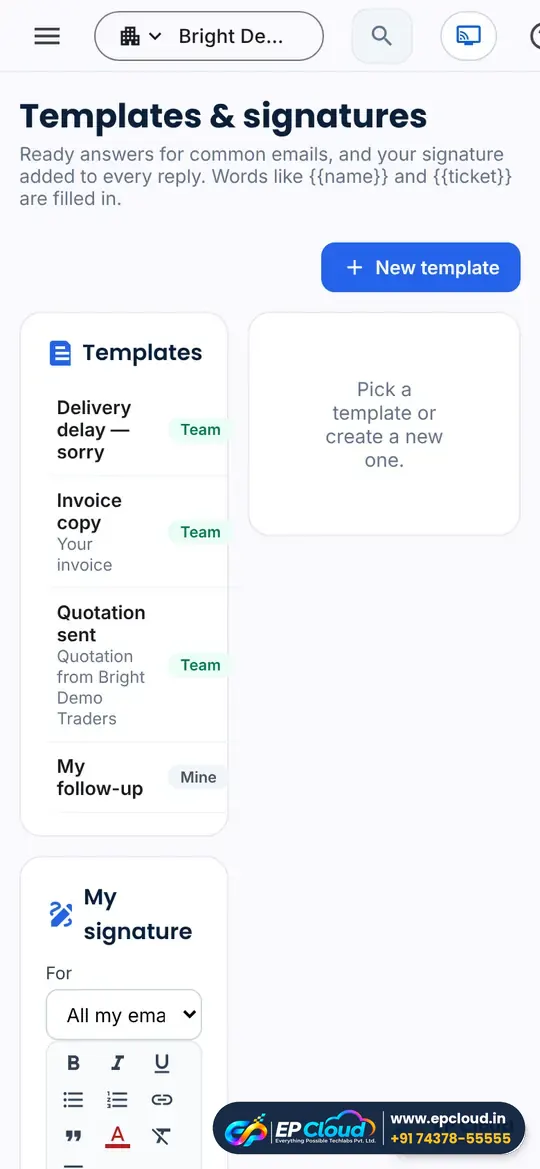
EP Mail Desk — Reply templates for common answers (computer screen) - Everything Possible Techlabs Private LimitedEP Mail Desk — Reply templates for common answers (phone screen) - Everything Possible Techlabs Private Limited

Reply templates for common answers

Ready answers your team inserts with one click.
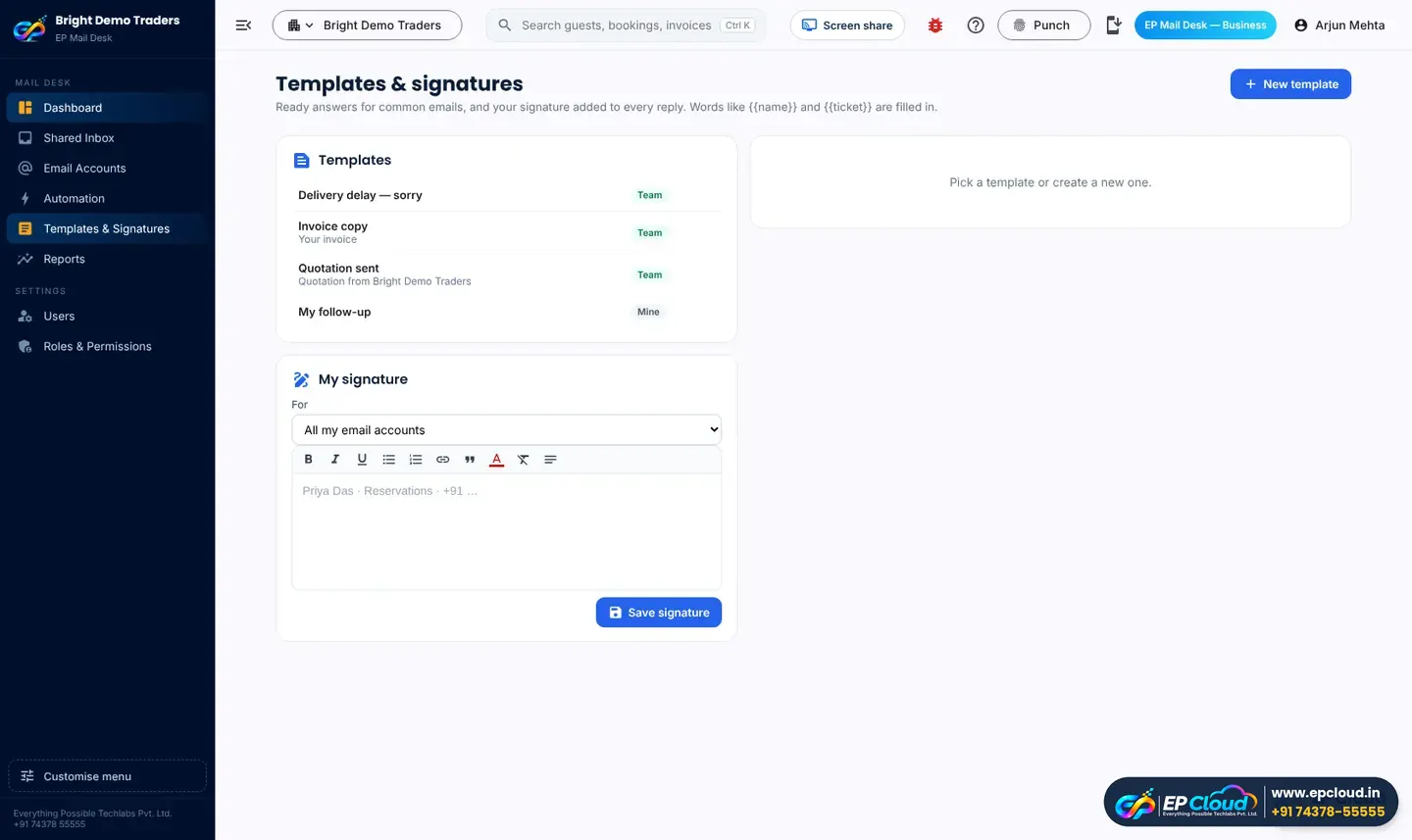
EP Mail Desk — Signatures per person or email ID (computer screen) - Everything Possible Techlabs Private LimitedEP Mail Desk — Signatures per person or email ID (phone screen) - Everything Possible Techlabs Private Limited

Signatures per person or email ID

Each person sets a signature for each email ID.

Dashboard & reports

4 features
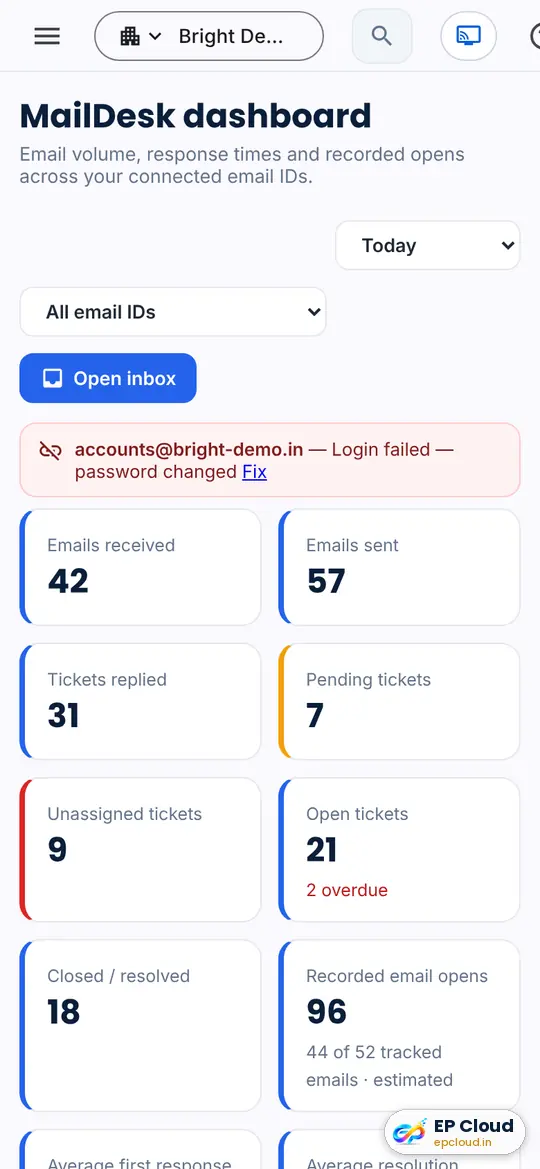
EP Mail Desk — Open, pending and closed tickets (computer screen) - Everything Possible Techlabs Private LimitedEP Mail Desk — Open, pending and closed tickets (phone screen) - Everything Possible Techlabs Private Limited

Open, pending and closed tickets

Received, sent, open, pending and closed at a glance.

EP Mail Desk — Response and resolution times (computer screen) - Everything Possible Techlabs Private LimitedEP Mail Desk — Response and resolution times (phone screen) - Everything Possible Techlabs Private Limited

Response and resolution times

Average first response and resolution time.
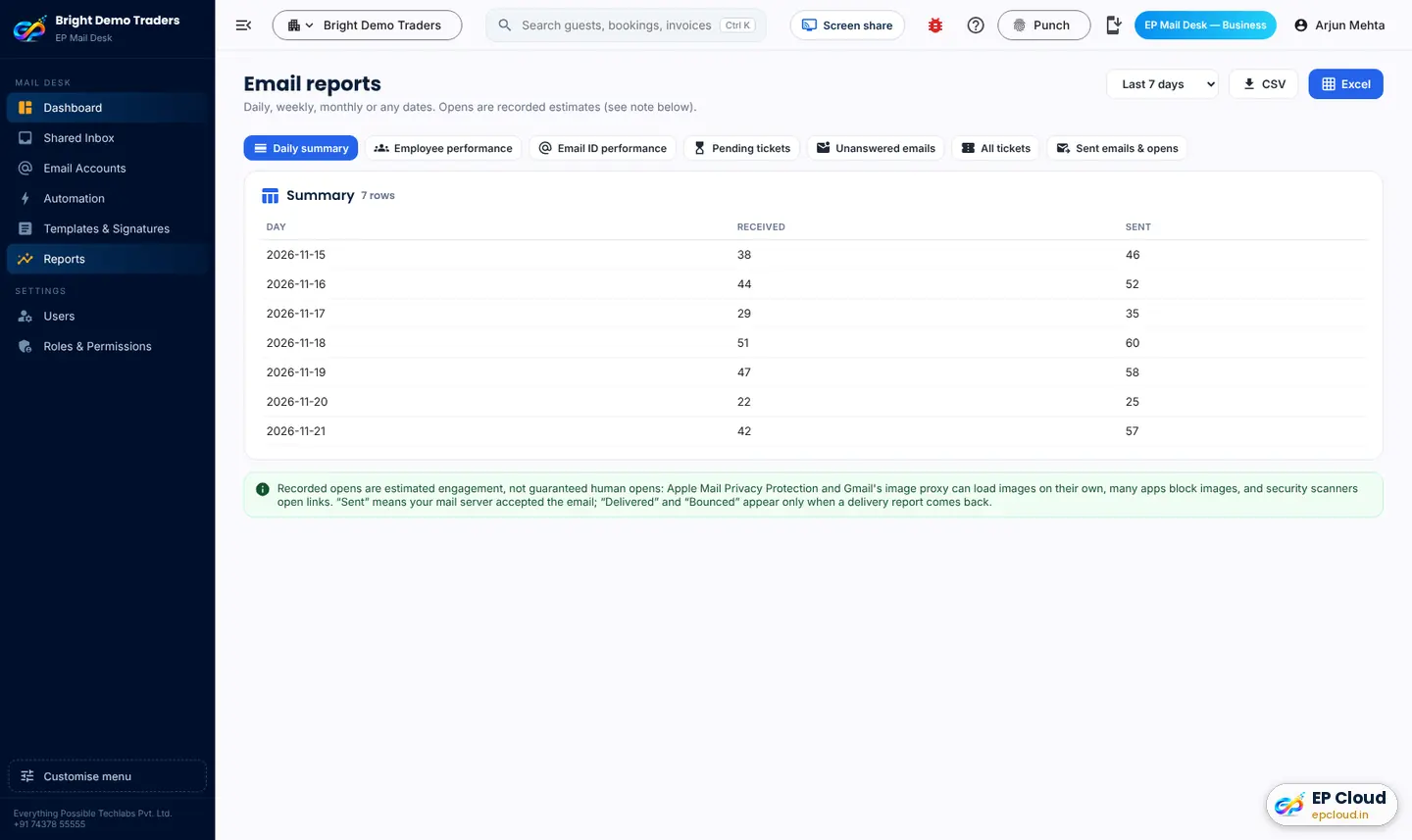
EP Mail Desk — Workload by person and email ID (computer screen) - Everything Possible Techlabs Private LimitedEP Mail Desk — Workload by person and email ID (phone screen) - Everything Possible Techlabs Private Limited

Workload by person and email ID

Replies, open tickets and response time per person and email ID.

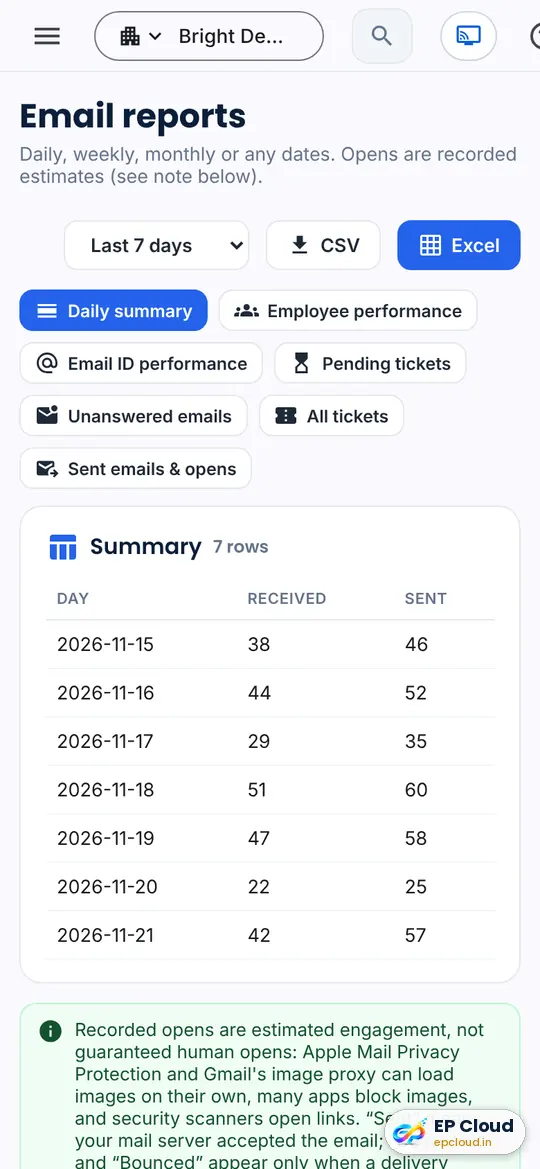
EP Mail Desk — Export to CSV and Excel (computer screen) - Everything Possible Techlabs Private LimitedEP Mail Desk — Export to CSV and Excel (phone screen) - Everything Possible Techlabs Private Limited

Export to CSV and Excel

Every report downloads as CSV or Excel.
Control & security

3 features
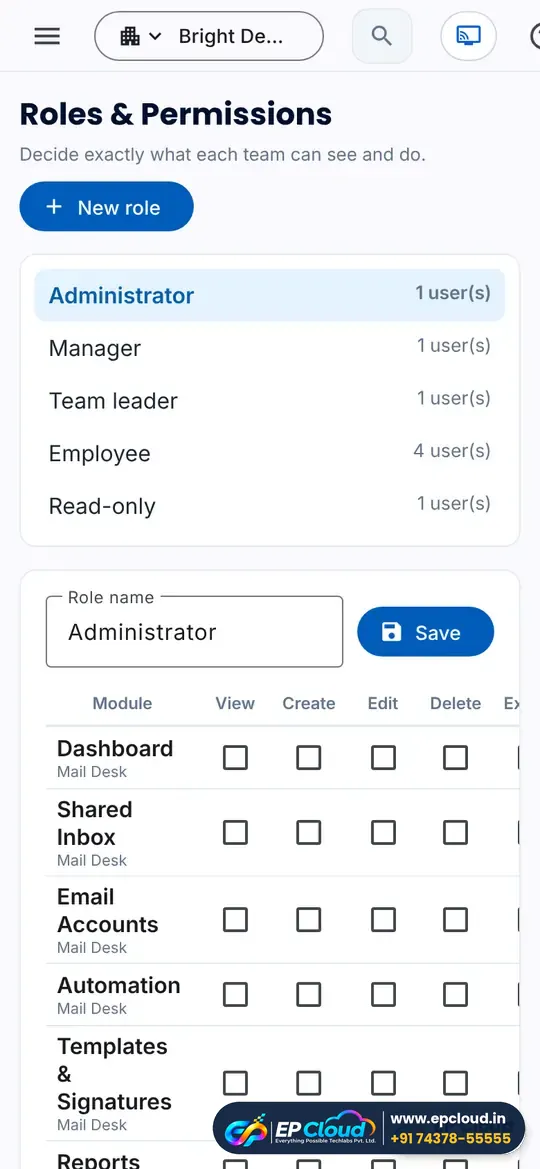
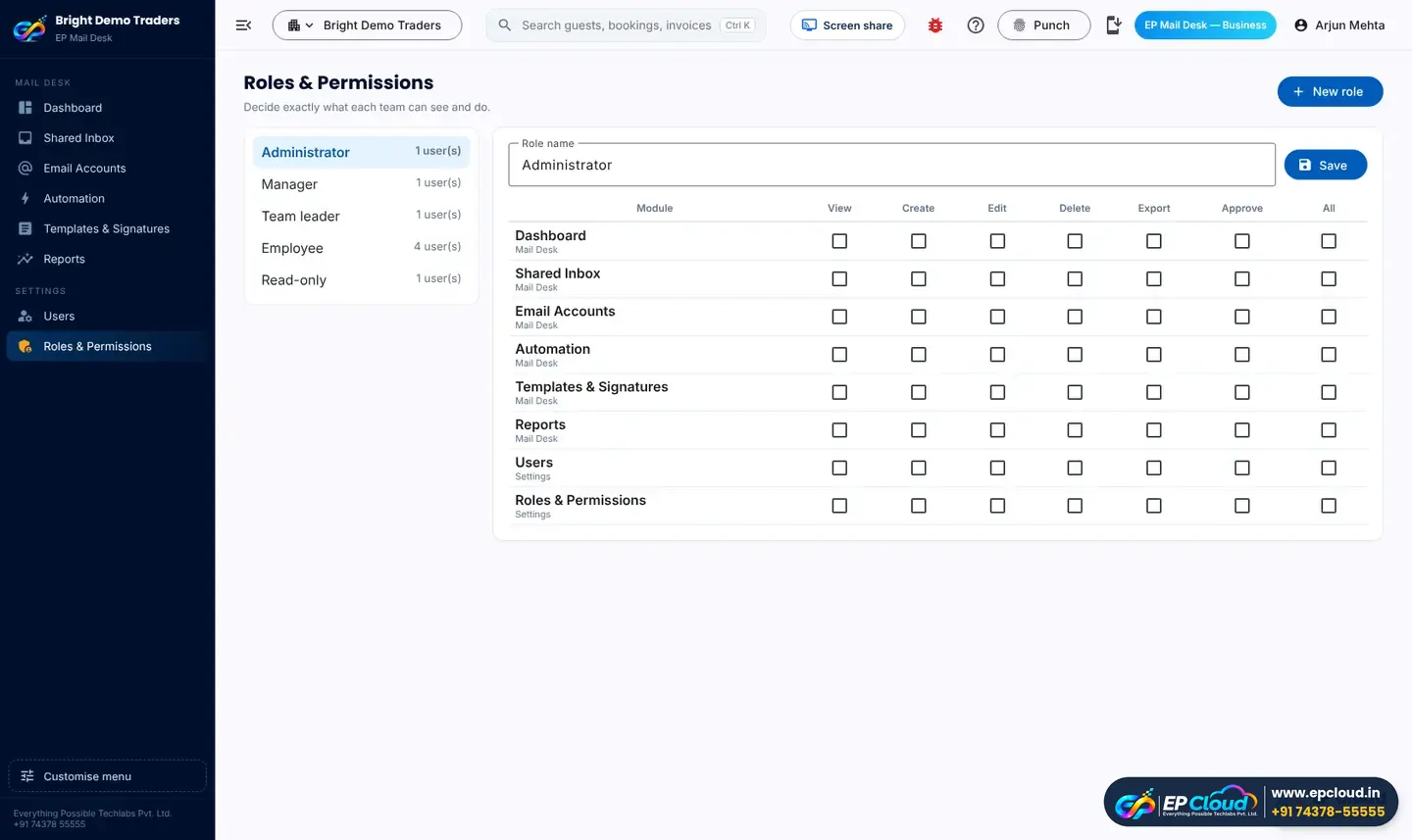
EP Mail Desk — Roles: administrator, manager, team leader, employee, read-only (computer screen) - Everything Possible Techlabs Private LimitedEP Mail Desk — Roles: administrator, manager, team leader, employee, read-only (phone screen) - Everything Possible Techlabs Private Limited

Roles: administrator, manager, team leader, employee, read-only

Ready roles, and tick exactly what each can do.

EP Mail Desk — Passwords and sign-in keys stored encrypted (computer screen) - Everything Possible Techlabs Private LimitedEP Mail Desk — Passwords and sign-in keys stored encrypted (phone screen) - Everything Possible Techlabs Private Limited

Passwords and sign-in keys stored encrypted

Passwords and sign-in keys are stored encrypted and never shown again.

EP Mail Desk — Works on computer, tablet and phone browser (computer screen) - Everything Possible Techlabs Private LimitedEP Mail Desk — Works on computer, tablet and phone browser (phone screen) - Everything Possible Techlabs Private Limited

Works on computer, tablet and phone browser

Every screen works on a computer, tablet or phone.

Who it is for

Built for businesses like yours

  • Hotels with reservation and sales email IDs
  • Travel agents and tour operators
  • Support and service teams
  • Any business with shared email IDs
How we work

From demo to go-live

Understand

We listen to how your business really runs and write it down in plain words.

Design

You see the screens first and approve them before any code is written.

Build & launch

Delivered in stages you can test, then launched on secure cloud hosting.

Support & grow

Training, updates and new features as your business grows.

FAQ · 34 questions

Questions about EP Mail Desk

Which email providers work?

Gmail and Google Workspace, Microsoft 365 and Outlook, Zoho and any mailbox that offers IMAP / SMTP.

Do emails stay in my mailbox?

Yes. Replies are sent from your own email ID and stay in your mailbox as normal.

Can I limit who sees which email ID?

Yes. Choose who may use each email ID; others never see those emails.

What is EP Mail Desk?

A shared inbox for team email (sales@, support@, accounts@): emails become tickets that are assigned, answered on time and tracked with reports.

Does it work with Gmail and Microsoft 365?

Yes. Connect Google Workspace / Gmail or Microsoft 365 mailboxes securely; mail stays in sync both ways.

How are emails turned into tickets?

Every new email thread becomes a ticket with an owner, status and priority, so nothing is missed or answered twice.

Does it track reply times (SLA)?

Yes. Set first-reply and resolve times; overdue tickets are highlighted and managers are alerted.

Can I use reply templates?

Yes. Canned replies with fill-ins for common questions save typing and keep answers consistent.

Can rules assign emails automatically?

Yes. Rules sort and assign emails by sender, subject or words, and can tag or prioritise them.

Can I see if a customer opened my email?

Yes — open and link-click tracking show when your email was read (opens are an estimate, as some mail apps block tracking).

What reports are available?

Volume, response and resolution times, agent performance, busiest hours and satisfaction.

Can several teams share it?

Yes. Each team works its own mailboxes; managers see across teams.

Is it secure?

Mailboxes connect with secure sign-in (OAuth) — we never ask for your email password.

Who should use EP Mail Desk?

It is made for teams that answer customer emails — sales, support, accounts and HR — from a single location to many branches. Owners, managers and staff each get their own login with only the screens their role needs.

Do I need to install anything?

No. EP Mail Desk runs in the browser on any computer, tablet or phone. Updates come automatically — there is nothing to install or maintain.

Does it work on mobile phones?

Yes. Every screen works on a phone, and it can be added to the home screen like an app. Owners can also set a 4–6 digit MPIN to log in quickly on their phone.

Is there a free trial?

Yes. A new team can start a free trial with every module open. You can pay the setup any time during the trial — your paid time starts after the trial, so no trial days are lost.

How much does EP Mail Desk cost?

The price depends on the plan and the size of your team. Book a free demo — we show you the software and give you the exact price for your team.

Can I see a demo before buying?

Yes. Book a free demo from the website or from your EP Cloud login (Add a business › Book a free demo). Our team shows EP Mail Desk live, on a call or screen share.

Is GST billing supported?

Yes. Bills and invoices follow Indian GST — CGST/SGST or IGST by state, HSN/SAC codes, GSTIN of the buyer and GST reports. Businesses that are not GST-registered can bill without GST.

Is my data safe?

Each team's data is kept separate — no other business can see it. Logins can use one-time codes, an authenticator app or passkeys, every action is logged, and data is backed up regularly.

Can I bring my old data from Excel?

Yes. All Database › Upload Data gives a ready Excel template for customers, suppliers, partners and leads. New rows are added; an existing row only fills its empty boxes, so nothing is overwritten.

Does it send WhatsApp, SMS and email messages?

Yes. Confirmations, reminders, wishes and campaigns go on WhatsApp (official WhatsApp Business API), SMS and email — automatically or when you choose. Each message can be switched on or off.

Can customers pay online?

Yes. Connect your own payment gateway once and bills, bookings and quotations get a pay link (UPI, cards, net banking). Payments are marked paid by themselves.

Can I run more than one branch or team?

Yes. One login can hold many branches and many businesses — switch between them from the top bar and see totals across all of them.

Can I control what each staff member sees?

Yes. Roles and permissions decide which screens and actions each person can use, and Staff Activity shows who did what and when.

Does it include staff attendance and payroll?

Yes. EP Cloud's HR module is built in — selfie and GPS punch-in, shifts, leave, salary, PF/ESI, payslips and expense claims.

How long does it take to start using EP Mail Desk?

Most businesses start the same day. The Setup Guide lists every step with a direct link, and the rocket bell at the top shows what is still pending. Our team can do the setup with you.

Will you train my staff?

Yes. We train owners and staff on a call or screen share, and every screen has a Help (?) button with step-by-step guidance.

Can I get my own website with it?

Yes. A website with your own domain, your logo and colours can come with your plan; enquiries and bookings from it land straight in the software. Search-engine (SEO) settings are included.

Does it work without internet?

It is cloud software, so it needs an internet connection. A normal mobile or broadband connection is enough; pages are light and fast.

Can I download my reports and data?

Yes. Lists and reports can be exported to Excel (CSV) or printed / saved as PDF at any time.

How do I get support?

Call or WhatsApp +91 74378-55555, email hello@epcloud.in, or use Help and Screen share inside the software — our team can see your screen (with your permission) and fix things with you.

Who makes EP Mail Desk?

EP Mail Desk is made by Everything Possible Techlabs Pvt. Ltd. (EP Cloud), an Indian software company registered in Odisha (CIN U62013OD2026PTC056384). The same platform runs EP Cloud's products for hotels, hospitals, restaurants, gyms, salons, travel, retail, education and more.

All FAQs →
Pricing

Simple pricing for EP Mail Desk

Compare the plans below — what each one includes and its limits. Prices are in Indian rupees, plus GST. Your price stays locked for as long as you renew. Pay online and get a GST invoice instantly.

Made for you

Custom plan

Your price
Pick only the modules you need
  • Unlimited user IDs
  • Only the modules you choose
  • Monthly, yearly or one-time pricing
  • Private sign-up link for your business
  • Free trial on request
Ask for a custom plan

Need something different? Talk to us or call 74378-55555.

Sign up

Create your EP Mail Desk account

Sign up in two minutes. Your account opens as soon as the one-time setup is paid online — the GST invoice is emailed to you.

  • Your own secure account and login
  • One login for every business you add later
  • Training and support on 74378-55555
  • Change plan or add modules any time

Already have an account? Log in

We Imagine Possibilities. We Build Solutions. We Connect Businesses.

See EP Mail Desk in action